
When I was in college, I didn’t really know. In the year 2000, it wasn’t a widely offered course in high school. A few students may have taken the single computer science course at the time, which was likely an AP Computer Science course teaching C++. Even the idea of a programming language was foreign to me at the time. When I took Intro to Programming in college, where I learned C, I wondered why it was required as a math-education major.
Times have changed, and we are introducing more students to computer science at earlier ages. Big Tech has made software engineering cool and marketed it as a path to wealth. Many of my students have now been exposed to Scratch and know that it’s an app for kids to write code. Some of them, those who voluntarily joined my elective Intro to Computer Science class, wanted to learn how to code and, more specifically, how to build games and sometimes robots.
Why “computer science is coding” doesn’t excite many 15-year-olds
Let’s face it: while many students will stay up all night playing video games, it doesn’t mean the idea of building one excites them. Most of us prefer the end user experience and don’t care about the work it took to get there. The kid who doesn’t want to code all day checks out. The kid who doesn’t care about gaming doesn’t see an entry point. Some have a parent who works in IT, and they know that they troubleshoot computer issues for their teams at work, but it doesn’t exactly look interesting and definitely not fun. Some don’t even have a framework for coding and never really considered that lines of code cause the programs they use to “run.” Catching this on day one, before it turns into a student completely opting out is one of the most useful things an introductory-level computer science teacher can do.
We know that Merriam-Webster says that computer science is “a branch of science that deals with the theory of computation or the design of computers,” and its simple definition says it is “the study of computers and their uses.” This definition is simple and very broad. There is so much that encompasses what we call computer science, making it an interesting subject to dive into.
The definition I use
The definition I use is somewhere in the middle: computer science is the study of how to use logic and structure to solve problems, process information, and build systems. I like this one because it does emphasize the technical aspects of computer science but really focuses on the problem solving. Computer science really is a thinking and problem-solving subject, not a machine-operating subject, even if you’re building a game! I think this really opens the door for students who are strong in math, communication, design, or analysis to see themselves in it.
I like starting Intro to Computer Science by introducing the roles of a product team because they are cross-functional and multidisciplinary. It paints a picture that the apps we love and couldn’t live without required a team with very different strengths to produce. When I worked as an engineering manager on a product team, my favorite discussions happened in cross-functional meetings when UX designers illuminated the customer problem and design considerations, product managers quantified results into measurable revenue goals, and engineers brainstormed about possible architectural and system improvements as quality assurance considered the edge cases that would need to be tested. This line of thinking opens students’ eyes to how they might fit in the world of computer science and, more broadly, technological innovation.
The four pillars I build my classroom around
I definitely don’t try to cover every CS subfield that exists. When I first taught Intro to Software Tech, because of the disparate resources that exist for teachers, I struggled to see the vision for the course. Finally, after a couple of months in my first year teaching Computer Science, I saw that it was really these four pillars + a healthy dose of employability skills like collaboration and accountability injected everywhere along the way. In my school Computer Science collaborated heavily with Career Technical Education so we leaned heavily into career competencies.
Hardware and systems: the physical foundation
I’m not teaching electrical engineering, but students need to understand that the code they write runs on a real machine with real limits. I’m the first to say my expertise is not hardware but even for me, a basic diagram of how the CPU, memory, and storage relate gives them a mental model for why programs slow down and why storage fills up. Keep this one visual and conversational — it lands even with students who have zero interest in hardware as a career. Conversations about input, output, processing and storage were surprisingly intuitive the first time I taught it!
Data and information: what computers actually process
Almost everything a computer does comes down to collecting, storing, and making sense of information. Search engines rank results. Streaming apps recommend content. Social feeds surface posts based on behavior. My students live within these systems every day, which makes this pillar the easiest to connect to their actual lives. The moment a student realizes the algorithm deciding what shows up on their feed is a CS product, the subject stops feeling abstract.
Programming and algorithms: the logic layer
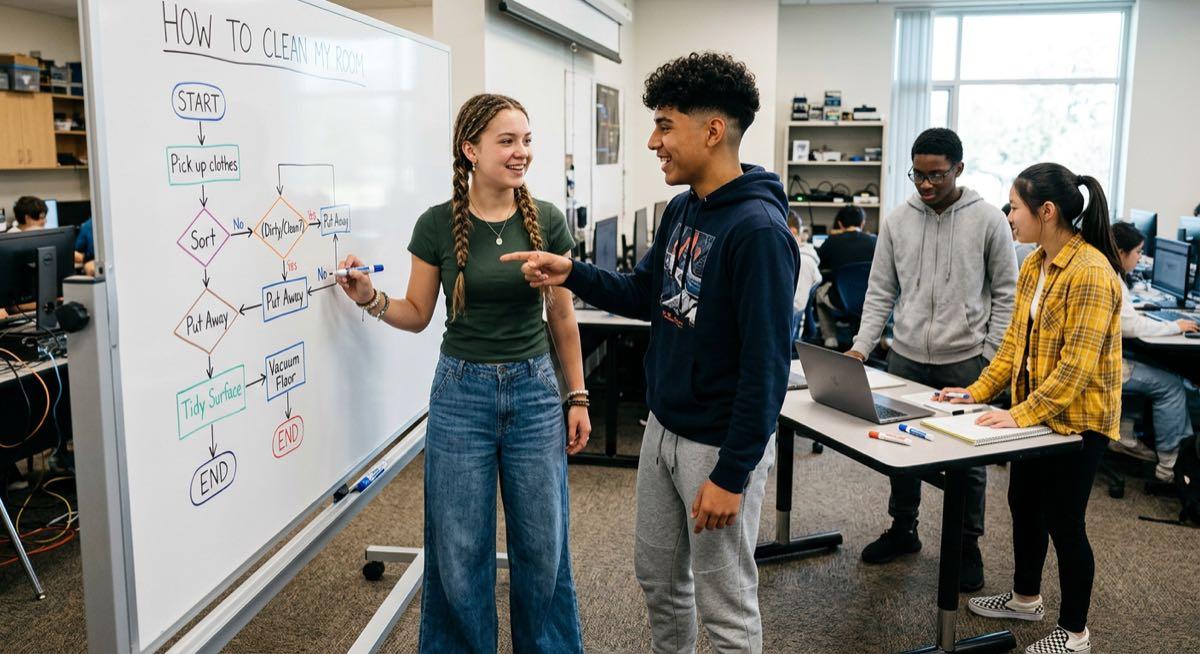
Programming isn’t typing code — it’s giving a computer precise instructions to solve a problem. That distinction matters because it shifts the focus to thinking before typing, where the real work happens. An algorithm is the step-by-step logic you design before you write a single line of code, and that idea is accessible to any student regardless of experience. I like unplugged partner-build activities here — one student writes or dictates instructions, another follows them exactly, no laptops involved — because it makes the concept concrete in a single period. This is where flowchart activities really shine.
Networks, security, the connected world, and Impacts of Tech
This is the pillar that lets me talk about what students are already talking about outside of class: privacy, data collection, cybersecurity, how the internet actually works. Understanding that computers communicate through structured protocols gives them a foundation for thinking critically about the digital spaces they’re already living in. It also opens the door to cybersecurity as a career path, which tends to surprise students who never connected it to computer science in the first place.
How I explain that the class isn’t Just coding
I don’t typically go into a lot of depth about the differences between computer science, software development and IT but I do keep it in the back of my mind as I teach. Most students and parents ask if this class is about coding. This is my opportunity to talk about how it incorporates the four pillars above and employability skills. To keep the concept straight in my head, I remind myself that:
- Computer science covers the theory and principles behind computing. This is what I disliked in college and never studied deeply, but conceptually helps me when thinking through performance and architecting solutions using proven patterns.
- Software engineering applies those principles to build reliable products. (This is my world, product development.)
- Information technology manages and supports existing systems. (IT keeps our software and solutions up, running and safe to use.)
There’s real overlap between these fields, but the distinction is often discovered through an introductory computer science course, which will enable students down the line to decide what field, if any, is right for them. Students drawn to math and abstract problem-solving tend to lean CS. Students who want to ship products and work in teams lean software engineering. Students who like stability and hands-on system work are a good fit for IT. I allude to these distinctions throughout the year but don’t expect students to grasp or memorize this at the beginning of the school year.
Where AI and machine learning actually fit
Since AI is the “word of the day,” I couldn’t write this post without bringing it up. Over the past two years, while I was teaching computer science, AI came to the forefront with ChatGPT’s public release in 2022 and has remained a hot topic and a go-to tool for many students ever since. AI isn’t some separate, intimidating discipline that needs graduate-level math to introduce. It’s an applied branch of computing sitting right on top of the algorithms and data pillars I’m already teaching. Once students understand flowcharts, algorithms, and automation, it becomes easier to see how AI can be layered on top of these to make decisions that aren’t explicitly programmed into code. I start by discussing everyday examples of AI — recommendation systems, image recognition, chatbots — and emphasize specifically the importance of big data. In my intro course, no prior programming is required, and our discussions about AI are more high-level. This complements the conversations students are already having about AI outside of school, which I’ve found makes for some of my best class discussions.
Career data isn’t always a motivator
Career relevance may help some skeptical students lean in, but in my experience, it tends to work only when students are already keen on learning to code, solving problems, etc. That’s why my goal tends to be helping them learn to love learning and figuring things out. That said, it’s still practical to show students an assortment of possible tech-related careers.
Job titles across the field include software developer, data analyst, cybersecurity analyst, UX designer, network engineer, AI/ML engineer, and database administrator. That range matters because it tells students with different interests there’s a home for them here. Creative, detail-oriented students tend to gravitate toward UX design. Kids who like puzzles and systems land in cybersecurity or data work. Analytical, organized students are more interested in data analysis or database roles.
For 9th- and 10th-graders, the salary conversation is hard to conceptualize. What does 6 figures even mean today? Without grounding salary in the cost of living, etc., I’ve found that complete lessons about salary can be distracting from my overall curriculum and cause students to lose focus. With AI, the roles of many tech professionals are changing rapidly. So I tend to emphasize the need to always be learning, the importance of flexibility, communication, and problem-solving skills.
Yet, the salary conversation can still happen. But briefly. According to BLS Occupational Outlook Handbook figures from May 2024, the most recent full-year data available, median wages across CS-related occupations run from about $60,340 for computer user support specialists up to $133,080 for software developers and $140,910 for computer and information research scientists. I tell students the breadth of options matters more than any single number — entry-level roles in web development, systems support, and IT typically land somewhere in the $60,000–$105,000 range, while mid-career roles in software development, cybersecurity, and database work often reach $120,000–$141,000 and up. I always share with students that starting a career in tech truly changed my life, enabled me to pay off debt and accelerate my income growth, and that because technology isn’t going anywhere, it could do the same for them.
How I turn these pillars into a Tuesday lesson
A framework is only as good as what happens in the actual room. Each pillar has a hands-on entry point I can run without needing to be a CS expert about every single topic. By observing your students, you’ll determine what they actually need and the level of depth they want to pursue. Everyday lessons are about gauging their interests, relating them to what they already know, and pushing those boundaries.
The goal is the same every time: experiences over rote memorization. Once they’ve followed a badly written set of instructions and watched it fail, the word “algorithm” means something real. It takes time to break things down into a format a 9th or 10th grader who may not have signed up for your class can process but it’s worth it when you see the light bulbs go off.
Where Rinse and Reteach fits in
If you want a ready-made path through all four pillars instead of building from scratch, that’s exactly what I am building on Rinse and Reteach for. It’s got classroom-tested lesson plans, unit overviews, and career readiness resources pulled straight from my own classroom — not theory, things I’ve actually run with real students. If you’re figuring out what you’re teaching at the start of the year or want to supplement with something different, I’d love for you to check it out.
Building on a clear foundation from day one
As a teacher, you can teach with confidence when you understand computer science and have a vision for your course. You don’t always need to explicitly define that for your students as much as you need to illustrate it. Sets the tone for the whole course and tells students right away that this class is going to feel relevant to their lives, not just another requirement to get through, but only if they take the time to engage. When I can explain the subject through four grounded pillars, tie it to real-life experiences, and back it up with something hands-on, computer science class stops being something for the coding geeks or the really smart kids but a subject everyone can appreciate whether they choose to pursue it or not.