
Why This Helps
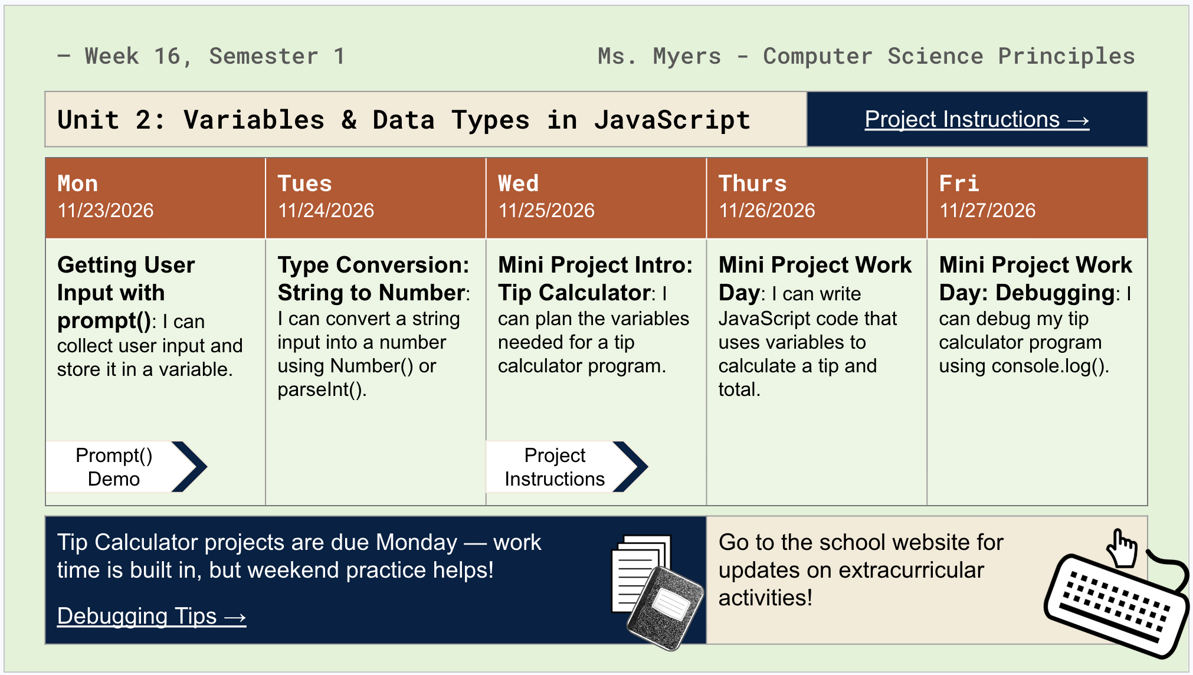
Turn the lesson plans you already write into a polished weekly calendar automatically. Building a clean, shareable weekly slide by hand from your lesson plans takes real time every single week — reformatting, double-checking dates, keeping the design consistent from one week to the next. This tool skips all of that. Plan your lessons once in a familiar Google Sheet, click a button, and get a fully designed Google Slides calendar — ready to project, print, or share with students and families- in seconds.
At a Glance
- Required Technology
- Google SheetsGoogle Slides
- Topics Covered
- automatiionlesson planningclassroom organizationweekly calendarteacher productivity
- Subjects
- All Subjects
- Related Courses
- All Courses
How I Use This Plan Once - Post Weekly: Planning for Teachers and Accountability for Students
Firstly, I use this digital tool for planning. I needed to plan my weeks and months for each course I taught. But apart from the obvious, there are two key reasons I use this tool specifically.
- Accountability: When I came back to teaching in 2024, it had been 12 years since I last taught. For starters, a class webpage was a nice-to-have, an enhancement that tech-savvy or tech-curious teachers adopted to augment their classroom experience. Now each teacher would have their own class website, either managed by proprietary software or created in Google Classroom. At its core, the weekly slides are a tool for fostering accountability among teachers, students, and parents. Students need to be held accountable for their role as learners during the school year, a role directly influenced by their teachers’ preparedness and competence.
- Efficiency and Time Management: In preplanning, I had resolved that there was no way I’d be manually updating weekly calendar slides for each prep if I didn’t have to. So, during preplanning, I decided I’d write a script for this. The research began, and I scaffolded my custom variation of the template and a quick-and-dirty script within the first week of school!
Why did I build this? – The Technical Reason
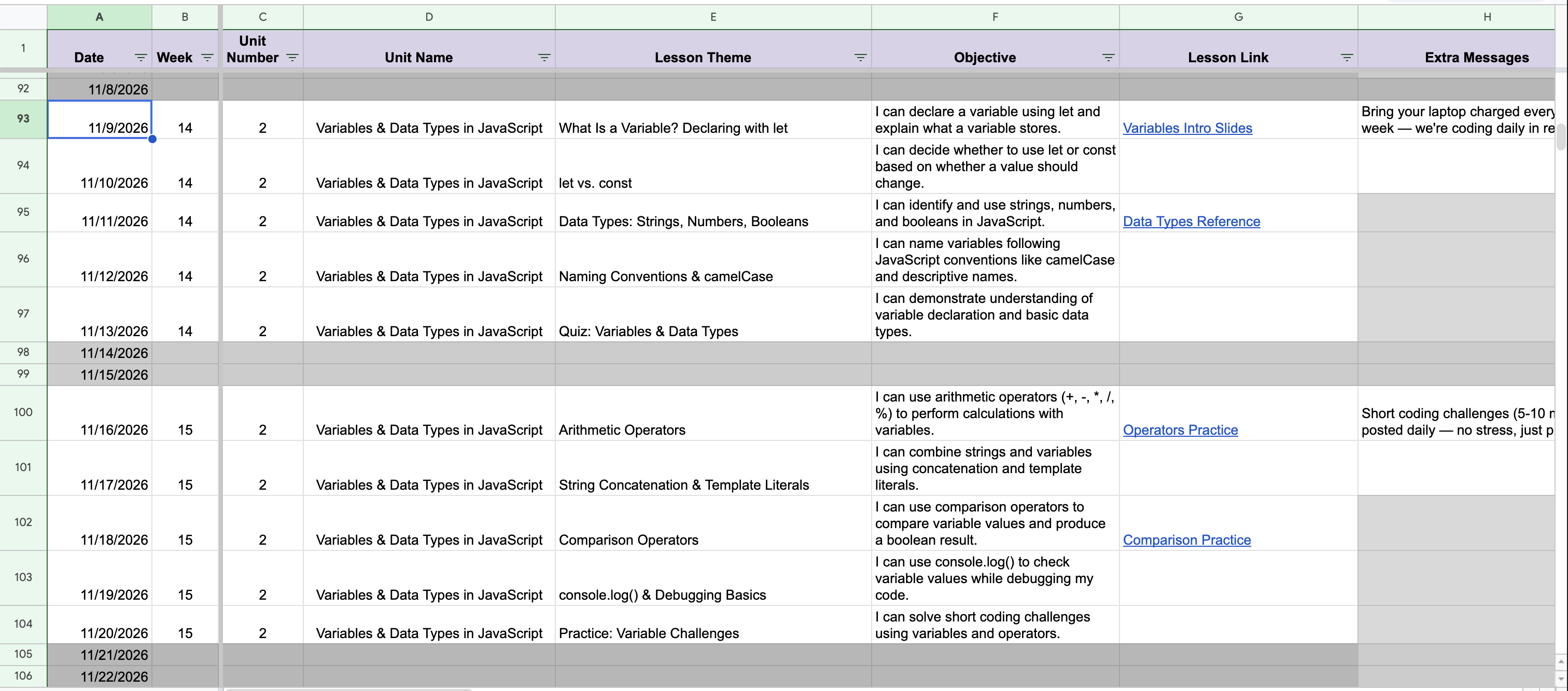
Coming from a software background into teaching, I found the weekly calendar-building habit genuinely repetitive, mechanical work. It was truly the kind of thing a script should be doing, not a person doing it by hand every single week. I wanted something that could be generated from a single source of truth. In my past life as a teacher, I already planned a month out and thought I should be able to take those same long-term plans to create these required slides for students.
How I actually used it, week to week.
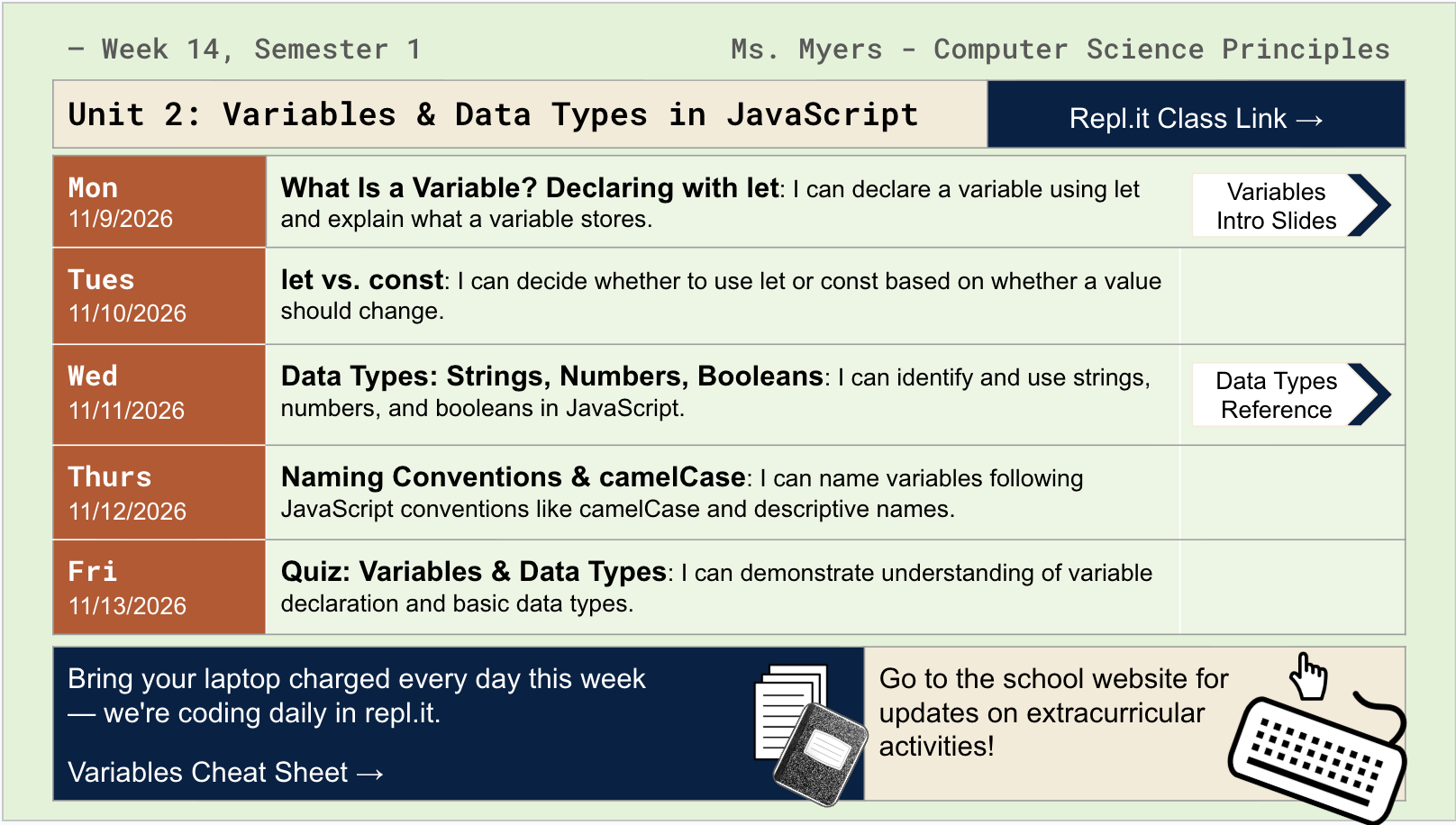
Plan lessons for the week (or the whole unit) in a course tab. Once Configuration is set up, generating a new week is one click from the custom menu — pick which weekdays, and get a new, dated deck. You can generate one week at a time or several weeks in a single run. This really worked for me because I tend to plan monthly, and it was super convenient to generate more than one week’s worth of slides, especially in a more motivated class where students appreciate a heads-up about what’s coming.
Why it’s safe to experiment with.
Every run creates a brand-new, separately named file; it never overwrites a previous week’s deck, so there’s no risk in generating early, generating again, or trying a different Design Style without losing anything. Everything uses apps you’re already familiar with in Google Sheets and Slides. If you make a mistake in editing either of those, the undo button still works!
Where I’ve taken it further.
This build has more bells and whistles than my original implementation. But it still builds on habits teachers already have (planning in a spreadsheet), and it’s not a whole new tool to learn. In this tool, you will be able to:
- Customize templates (beyond just the tech classroom design). There are five different template designs with the following names: (1) Tech Classroom, (2) Organic, (3) Classical, (4) Industrial, and (5) Modern
- Change the layout of the days from vertical to horizontal
- Experiment with different color schemes like monochromatic and complementary
You’ll watch your content come alive in just a few seconds, in a way that’s easy for students and parents to digest.
What’s next?
A full video walkthrough is coming. I will link it here once live. This is also the first in what’s meant to be an ongoing line of classroom automation tools that truly made my life easier as a teacher. They all draw on my software engineering and teaching experience using the Google Workspace tools we use daily.