
At a Glance
Objective
- Students will plan featured work and achievements for a personal portfolio, specifying a description, visual, and link or reference for each item.
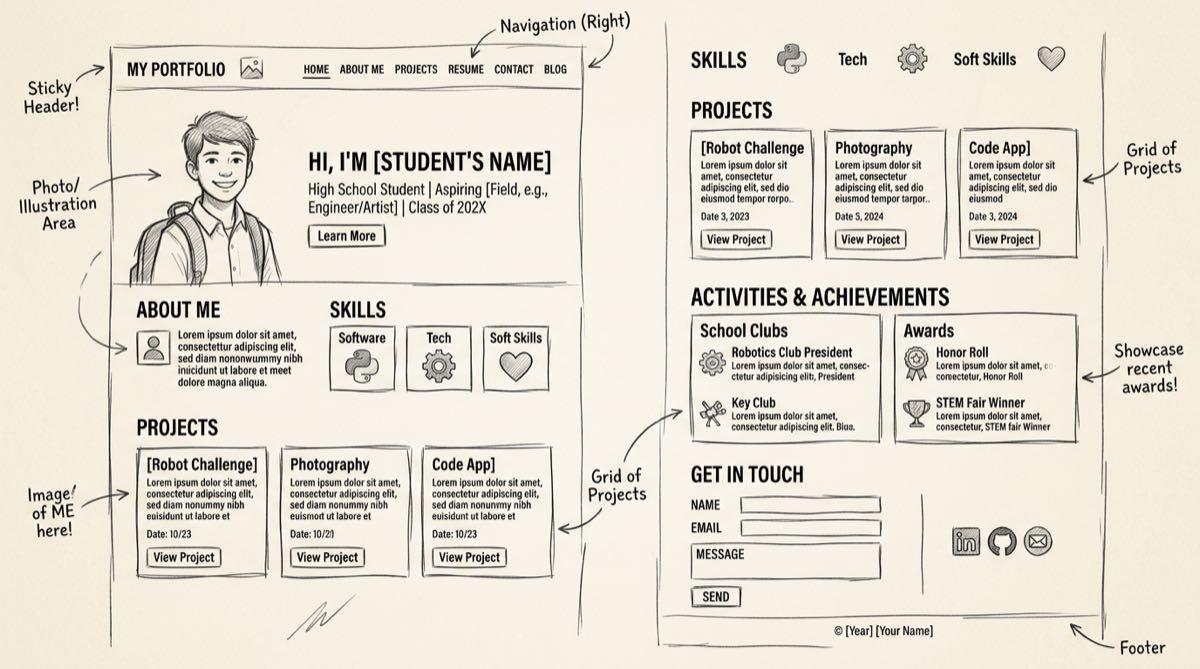
- Students will translate resume content into the structural building blocks of a webpage — headings, images, text, and links.
- Students will either build and publish a single-page website using a no-code website builder, or convert a resume into Markdown and write a complete, detailed AI prompt to generate one.
- Students will test their finished site, identify at least one specific issue or improvement, and revise before considering it complete.
- Topics Covered
- web designportfolio buildingcareer readiness
- Subjects
- CTAE (Career Technical & Agricultural Education)Computer ScienceWeb Design
- Related Courses
- Intro to Web DesignIntro to Software Tech
- Type of Lesson
- projectindividualchoice-based
Related Unit(s)
Lesson Plan Notes Personal Portfolio Website: From Resume to Homepage
Student experiences can be very rich, and a resume often doesn’t do them justice. In this lesson, students will create a portfolio website using their resumes as the backbone. This is one of my favorite lessons because it combines teaching with web design and development, which, of course, is my other wheelhouse.
Because we live in the age of AI, I give students the option to complete their web-based portfolio using a lightweight CMS/website builder like Google Sites or to build a single-page app using an AI Chatbot like ChatGPT. The two paths illustrate the decisions real business owners make about how they showcase their products and services as they make decisions weight time, expertise, and available tools.
Path A: The Website Builder
This workflow, even if it’s the path fewer students take, is legitimate. It not only gives students a practical skill in editing a site via a website builder. But it provides a strong scaffold for students who just don’t know where to start. Looking at example components makes it clear to them that they should use images with supporting text and a heading. Building a website on a platform with many examples and placeholder text makes web development accessible.
Path B: The AI-Generated HTML
The flashier path is to build the entire site around a chatbot. Students love to say that no one needs to learn how to code anymore because AI can build entire websites. Though AI-assisted development is the norm in web development nowadays, the skill set is more than just coding. This lesson requires them to use Markdown and learn how the hierarchy in that syntax determines site structure, with their self-described personas and color palettes providing further direction. The vocabulary and terminology used in the prompt also contribute to the quality of the output. After a few rounds of iteration, students will have personal portfolio websites tailored to their resumes.
The end of a unit
Each path is a legitimate means to an end. Whether the entire class commits to a path or individual students choose their own adventure is up to you. I tend to allow individual students to choose their own path, as that can build momentum and encourage more buy-in from students who may find the website builder too boring or too similar to previous exercises.
This assignment marks the end of the unit devoted to employability skills and workplace success. Yet, throughout the entire school year, these lessons can be referenced. Ideally, resumes and portfolios should be updated quarterly or at least twice a year to reflect new learnings, projects, and achievements.
Check out this lesson and the entire unit bundle, available for purchase, to give your class the full, unified experience.
Note: Caveats and considerations regarding image use and hosting are explained in detail in my resources for this lesson.