
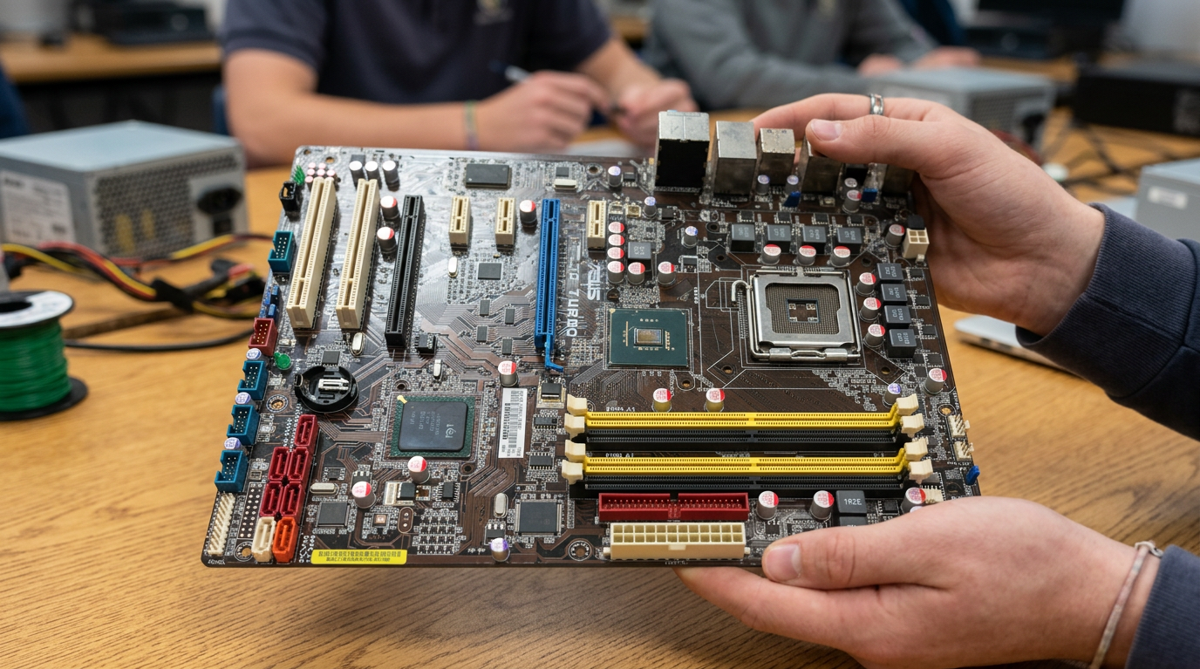
At a Glance
Vision
This unit takes students from "I use a computer every day" to actually understanding what's inside the box and how it works — starting concrete (the physical components), moving through how data actually flows through them (IPOS-C), into the software layer (operating systems and applications), and finally out into the real world (what these parts cost, why, and what it's like to build with them). Each lesson builds on the last, so a student who starts not knowing what a motherboard is ends the unit with a budgeted parts list and an understanding of how, once physically assembled, it becomes a working circuit.
- Topics Covered
- Computer Hardware Components & ResearchIPOS-C Data Flow & FlowchartingComponent Retrieval PracticeOperating Systems & ApplicationsComputing Economics & Data LiteracyBudgeting & PC BuildingHardware Inventory & Data ClassificationPhysical Computing & Design
- Subjects
- Computer Science
- Related Courses
- Intro to Software TechIntro to Hardware Tech
- Pacing
- Pacing: 3 weeks
Computing Systems Vocabulary
My first year teaching Intro to Software Tech, Computing Systems and Hardware was the unit I was most reluctant to teach. I’d never taken apart my own computer or had the smallest desire to build my own machine. Besides the motherboard and maybe RAM, I had no idea what a computer’s components were. I knew the specs that would allow me to run the software I needed and was never really curious to dig deeper. In industry, as software developers, we’re often consumed by the problems we’re solving with software; it’s not until our hardware begins to fail that we care and seek an upgrade. At least that was the case for me. This unit takes a look under the hood to help students understand and explore the computing systems that make their computers. Now a couple of years later, this is one of my favorite units to teach because it connects the dots between tangible physical aspects of computing hardware and the more abstract software that runs on it.
The throughline
This unit moves from concrete to abstract and back to concrete again: start with the physical parts you can hold, learn how data actually moves through them, add the software layer that makes them usable, step back to see the economics and real-world forces shaping what these parts cost, and finish by actually building with them — a budgeted parts list and a hands-on physical circuit.
Here’s the arc:
- What is a Computing System? — The Components (available now) — Small groups research one of 6 core components (motherboard, CPU, RAM, storage, GPU, peripherals), then teach it to the rest of the class. Before anything else, students need to know what’s actually inside the box.
- Diagram the IPOS-C Flow (available now) — Now that students know the parts, they trace how data actually moves between them — Input, Processing, Output, Storage, and Communication — across 10 real-world scenarios.
- Computer Components Maze Activity (available now) — A quick, low-stakes retrieval-practice pass on component names and categories before moving into new content.
- Operating Systems & Applications (available now) — The software layer: what an operating system actually does, how it’s different from the apps running on top of it, and what BIOS and firmware are doing before the OS even loads.
- Demand for Computer Parts — From Gaming to AI — Zooms out to the real world: why GPU prices spike, how global chip manufacturing actually works, and what AI demand is doing to the hardware market.
- Computing Systems & Costs: Building a PC — Students apply everything so far to a real constraint: a fixed budget and a build goal (gaming/streaming, a creative workstation, or an always-on AI rig).
- Project: Computer Hardware Store Inventory — A large, messy, realistic inventory-classification task — students sort real hardware store stock by category, practicing the kind of productive struggle that comes with a genuinely large dataset.
- Project: MP3 Sound Module — Hands-on, physical: students build and wire a real sound module into a paper enclosure, then explain its IPOS-C flow and design choices for a real end user.
Who this is for
Some lessons are cross-curricular. This is really for teachers of computer science courses. I include some economics and budgeting to make real-world connections, but the heart of the subject matter is computer science specific.
What makes this different from the computer hardware worksheets you’ve probably already got
The unit moves from classroom content into real-world economics (chip supply chains, GPU pricing) and ends in a genuinely hands-on physical build, not just diagrams and vocabulary. I want students to appreciate that hardware is physical, so I start by emphasizing those tangible parts. Then I connect that to global issues we’re facing right now around the supply and demand of those resources. This unit provides a holistic look at how hardware affects everyday people and global economics. I’ve also included a hardware project that gives students ownership over a product: they take an integrated circuit and turn it into a real, usable product. The creativity and interconnectedness of lessons incorporating current issues is a real differentiator here.
Where to find each piece
Every lesson has its own post on this site that goes deeper into how I teach it, plus a ready-to-use classroom resource on Teachers Pay Teachers if you’d rather not build it from scratch.
More lessons in this unit are still being written; please subscribe if you want to know when they go up.
Lesson Plans in the Computing Systems Unit
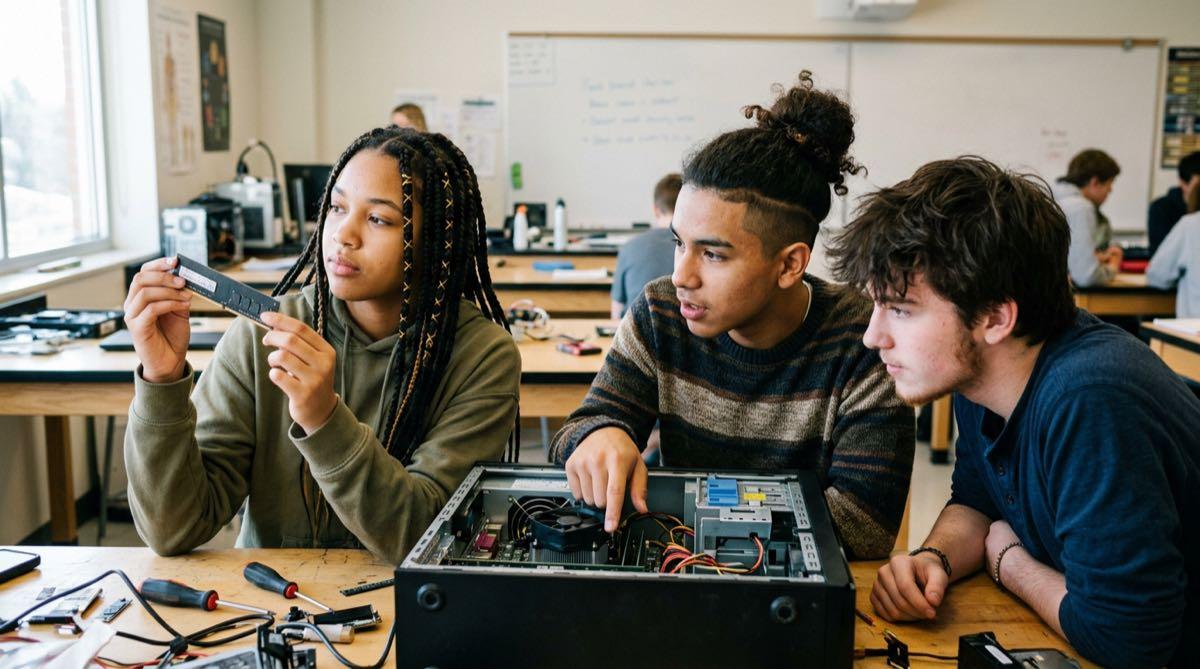
What's Actually Inside Your Computer? (A Hardware Components Lesson)
A high school lesson in which small groups research one of 6 core computer components—motherboard, CPU, RAM, storage, GPU, peripherals—then teach it to the rest of the class.

How Does Data Actually Move Through a Computer? (An IPOS-C Flowchart Lesson)
A high school lesson where students trace how data moves through a computer—Input, Processing, Output, Storage, Communication—across 10 real-world scenarios.

Computer Components Maze Activity
Three easy-to-check branching maze worksheets that recap computer hardware components and the IPOS-C cycle — a low-stakes bell-ringer or fast-finisher for a high school computer science class.

What Does an Operating System Actually Do? (A High School Notes + Discussion Lesson)
A high school lesson connecting operating systems and applications to the devices students already use every day — the OS as 'traffic cop,' BIOS/firmware, and the desktop/smartphone/web/cloud app categories.

Why Did RAM Get So Expensive? (A High School Lesson on AI and Computer Part Prices)
A high school computing systems lesson on the 2026 AI memory shortage: students read real price data, compare gaming and AI hardware, map global chip manufacturing, and tour an AI data center.

How Much Does It Cost to Build a PC? (A High School Budgeting Project)
A high school computing systems project: students choose a gaming, creator, or 24/7 AI build, research real component prices, and fit a complete PC into one shared $1,500 budget, then explain their trade-offs.